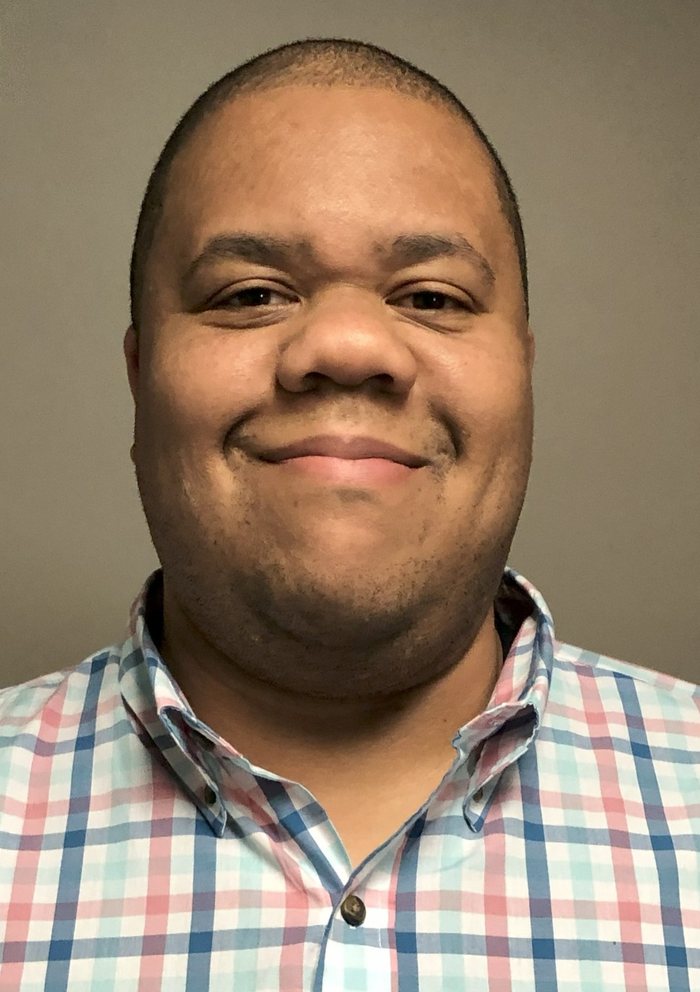
"The Can-Do Critters: four friendly animal guides for big feelings, focus, steady hands and speaking up. Ages 4 to 8." Bruce · Full series page →
Leo's Sensory Toolkit
30+ single-sided coloring and calming activities where Leo the Lion Cub teaches wall push-ups, tight self-hugs, slow breathing and a 5-4-3-2-1 senses game.
Being made now. Check back soon.
Maya's Focus Compass
Maya the Red Panda turns morning stalls and busy brains into doable steps—breaking big jobs into pebbles, first-then boards, picture schedules and focus puzzles.
Being made now. Check back soon.
Ollie's Fine-Motor Missions
Ollie the Sea Otter builds steady hands through 30+ missions covering finger warm-ups, alligator pinch helpers, tracing paths, scissor shapes and first letter strokes.
Being made now. Check back soon.
Piper's Voice Bridge
Piper the Songbird helps kids practice asking for a break, checking their space bubble, using “I feel” sentences, taking turns and asking “Can I play?”
Being made now. Check back soon.
Thrillers
"When the machine makes the call and somebody dies, who signs for it? Start with Floor 14, it's a one-sitting read." Bruce · Reading order & series page →
The Fall of Floor 14
Seventy-two hours. One signature. And somebody already signed it for him—down to the ink speck only his wife knows. The illustrated prequel set four months before Book 1.
An algorithm forged a signature to bury a catastrophe; nineteen years later, it triggers a 72-hour countdown to seize Janet Vo's unborn twins. Book 1, with 18 chapter art plates.
A dead woman hid her last secret inside a companion robot in Detroit while Janet Vo gets sixty days to comply with a federal notice—and an uncounted girl holds the key.
Being made now. Check back soon.
Laughs
"One is about a dry cleaner who handles revenge. The other is about a grandma who was right the whole time." Bruce
Dry Clean Only
Behind a Port Meridian dry cleaner sits a secret team that makes cheating spouses walk away of their own free will—until Manny spots the woman who left him.
Being made now. Check back soon.
Grandma Sarah Was Right About the Foil
She wraps phones in foil like baked potatoes—until cold garlic knots wake a Cold War passphrase, DARPA pings hit the ceiling, and a retired demon shows up for Sunday potluck.
Being made now. Check back soon.
In the works
"A vigilante FBI examiner and a gritty illustrated superhero war novel. Covers go on as each book wraps up." Bruce
CHARGEBACK
By day, Eli Carter is an FBI forensic examiner in Baltimore. At 4:00 AM, he gives scammer Dean Halloran 24 hours to return $4.1 million stolen from seniors—while his own office hunts Chargeback.
Being made now. Check back soon.
ENOCH: Batch 31
Nine hundred kids flatlined in three New Jersey bunkers; 860 woke up on fire. Seventeen-year-old Keith Enoch Johnson shuts powers off with a touch—and leads an eleven-week war to hold the state line.
Being made now. Check back soon.
Behind the counter
"I'm not pretending to be a traditional writer. I'm an idea person with new tools." Bruce
"I've always been a bad writer with great ideas. For years I never had the time, the skill or the money to get my stories out to the world. Now I have the support to get the job done."
It starts on paper
Before I open an AI chat, I sit down with a piece of paper and write out the hook, the character development, the scenes and the dates. The story direction is mine.
Then I fight the AI
AI is not a one-click bestseller button. I argue with the models to get the right story direction, fix continuity errors and redo images until they match what I had in mind.
It costs $40 a month
$20 for Google and $20 for Claude, with Google Antigravity doing the builds and layout. Writers of every type can now get real support for very little money.
Respect for every writer
I respect the authors who craft every sentence by hand. This is me producing entertaining books with a faster turnaround, and making room for people like me.
For AI Writers: the back room is open.
If you have great ideas and you learn or think differently, you have a real place in storytelling now. AI tools gave me an editor, a reviewer, a co-writer, and a layout team I could afford. Here is everything I've learned, free.
Different ways of thinking aren't stopped at the door anymore
Watch this breakdown of Palantir CEO Alex Karp's warning about how AI is reshaping jobs—including creative writing and authorship. Standardized, formulaic work is what gets disrupted first. People who think differently and approach problems from another angle have a genuine advantage.
For decades, people with different ways of thinking were stopped at the door of fields like creative writing, publishing, and software. Now the doors are wide open. The possibilities are huge when you pair an unconventional mind with tools that help structure and polish your vision.
"I have always scored low on tests, yet I taught myself computer systems, IT, software, and how to create workflows. Just because you learn and think differently does not mean AI can't help translate your ideas into the proper format. Get those ideas out there. I am a prime example."
Proof on your screen: Even this website was created using Google Antigravity and connected straight to Netlify.
Featured video: Palantir CEO Says Only 2 Types of Jobs Are SAFE From AI — on why non-standard thinkers thrive alongside AI. Watch on YouTube →
Use AI to the level you need—and feel comfortable with
Every writer is different. There is no single "right" way to work with AI—use only the support you want, protect the parts of the craft you love, and dial it up or down on any project.
Level 1
Research & Organization Only
You write every word yourself. Use NotebookLM or Antigravity strictly to organize research, build timelines, and maintain character bios without touching your prose.
Level 2
Editor & Error Checker Only
You draft 100% of the book. Use Claude, Antigravity, or a NotebookLM podcast critique as a tough second pair of eyes to catch plot holes, continuity drift, and date errors.
Level 3
Brainstorming & Outline Coach
You write the scenes, and use AI to break writer's block—testing hooks, raising chapter stakes, and exploring alternate twists before you draft.
Level 4
Co-Writer & Format Translator
You bring the story direction, paper notes, and vision; Claude or Antigravity helps translate rough notes into scenes and tighten dialogue while you steer every decision.
Level 5
Full Solo Publishing Team
Pair your Story Bible with AI across the whole $40/month loop—drafting, podcast reviews, error checks, chapter art, EPUB/KDP layout, and your Netlify author site.
My production line, from a blank piece of paper and a mountain of notes to a book that's ready to upload to Amazon KDP.
Step 1 · Raw IdeasPaper notes & research
Get the hook, characters, scenes, and messy ideas out of your head and onto paper or files.
Step 2 · AntigravityCombine, draft & illustrate
Bring a mountain of notes and research into one document, draft chapters, and create images.
Step 3 · NotebookLMReview, bios & podcast
Build timelines and character bios, verify research, and listen to a brutally honest podcast critique.
Step 4 · Claude / AntigravityFix, edit & error-check
Feed the podcast review back in to fix story problems, check for errors, and loop until publish-ready.
Create the loop to produce your dreams.
Your $40 a month publishing team
You don't need a $5,000 developmental editor, a $1,000 formatter, or a year of waiting to test an idea on Amazon KDP. Here is how I split the work.
Google, $20/mo: NotebookLM / Gemini Notebook
Research, timelines & bios: upload your notes, research, and draft to pull clean timelines, character bios, and source-grounded answers.
Brutal podcast reviews: generate an Audio Overview podcast critique that gives great—and sometimes heartbreaking—feedback you need to hear.
Claude, $20/mo: Editor and co-writer
Co-writer & editor: turn raw outlines into scenes, tighten dialogue and pacing, and apply feedback from your NotebookLM review.
Error & problem checker: hunt down continuity bugs, character name drift, age/date math errors, and plot holes before readers see them.
Google Antigravity: Notes, drafts, art & builds
Mountain of notes to rough draft: bring scattered notes, ideas, and research into one unified document, and act as co-writer, editor, and error checker.
Images, KDP files & websites: generate chapter art, compile EPUB/KDP print PDFs—and even build your author site connected to Netlify, just like this one.
Which model should I use? Don't get stuck.
There will always be a new model coming out, so don't lock yourself into one name or one workflow. Use the heavyweight reasoning models for story structure, continuity checks and tough rewrites. Use the fast, lightweight models for repetitive formatting and file builds. When a better model arrives, test it on a single chapter, then upgrade.
Using NotebookLM / Gemini Notebook for research, timelines, bios & podcast feedback
NotebookLM (Gemini Notebook) stays anchored to the files you upload, which makes it a powerhouse for research, building timelines and character bios, and reviewing your book honestly. A podcast in Gemini Notebook can give you great—and sometimes heartbreaking—feedback that needs to be heard. Take that review and drop it straight back into Google Antigravity or Claude to fix the story.
Prompt 1: Interactive KDP Report
Write a report that clearly outlines the reason would or would not be a Amazon KDP best seller. Include how to greatly improve and slightly improve the book.
Prompt 2: Audio Overview (brutal podcast review)
Do a deep dive on this book and do a brutal critique on the story and writing. I want to see if it would be a best seller on Amazon KDP or what needs to improve to make it a best seller.
Prompt 3: Timelines & Character Bios
Using only my uploaded manuscript and notes, build (1) a chronological timeline with every date, location, and major event, and (2) detailed character bios listing each character's age, traits, relationships, goals, and any contradictions found across chapters.
Four ways to use NotebookLM / Gemini Notebook
Research vault: upload articles, PDFs, transcripts, and notes so you can ask fact-checking questions grounded strictly in your sources.
Timelines & character bios: have it extract a clean chronological timeline and full character sheets straight from your draft so your story bible stays locked.
Heartbreaking podcast review: generate the Audio Overview and listen carefully. Hearing two AI hosts expose flat stakes or slow pacing hurts for five minutes—and saves your whole book.
Close the loop: paste or summarize that review right back into Google Antigravity or Claude to repair the weak spots, upload Version 2, and run it again.
More Gemini Notebook prompt ideas
Find the flat scene:"Here is my draft. What is the single most boring scene or weakest chapter ending, and how do we raise the stakes without breaking canon?"
Continuity & date math:"Audit Chapters 1 to 10 for every date, character age, day of the week, and timeline reference. Flag any contradiction with quotes."
Look-Inside hook check:"Compare my opening 500 words (Prologue and Chapter 1) to top-selling KDP books in this genre. Would a browsing reader click Buy?"
Repetition & voice check:"List every phrase, metaphor, or tic repeated too often across my chapters, and point out any characters whose dialogue sounds identical."
Book 2 setup tracker:"List every unresolved clue, promise, and subplot left open at the end of Book 1 so I can pay them off in Book 2."
Claude & Google Antigravity: prompts, editing & friction-free settings
Once your notes are out of your head—or once Gemini Notebook hands you a tough podcast review—bring the work into Claude or Google Antigravity to draft, refine, hunt down problems, and build your finished KDP files.
Claude as your editor and/or co-writer
Co-writer for rough ideas: hand Claude your handwritten notes (the hook, character flaws, key scenes) and ask for three different takes on a scene to translate your vision into strong prose.
Line & developmental editor: paste your NotebookLM podcast critique into Claude to tighten dialogue, raise chapter tension, and cut repetition without erasing your voice.
Check for errors & possible problems: run continuity passes to catch name drift, age/date math errors, missing props, and logic holes before your book goes live.
Google Antigravity: mountain of notes to finished book (and website)
Combine a mountain of notes: drop messy research files, voice memos, character sketches, and outlines into one workspace and let Antigravity synthesize them into one unified master document for your rough draft.
Co-writer, editor & error checker: work with Antigravity to draft chapters, apply NotebookLM podcast fixes, and scan the full manuscript for continuity errors or possible problems.
Images, KDP builds & web launch: generate chapter art and covers, build validated EPUBs and 300-DPI KDP print PDFs—and even build and connect your author website to Netlify (just like this site).
Copyable prompt ideas for Claude
Claude Prompt 1: Turn paper notes into scenes
Here are my handwritten notes for Chapter [X] (hook, character flaws, key beats, and ending twist). Give me three different ways to open this scene—grounded, fast-paced, zero AI clichés—staying strictly inside my Story Bible.
Claude Prompt 2: Apply Gemini Notebook podcast feedback
Here is the brutal critique from my Gemini Notebook Audio Overview and my current chapter draft. Fix the pacing dips, sharpen the dialogue, and close the plot holes without erasing my voice or breaking the timeline.
Claude Prompt 3: Continuity & error sweep
Read these chapters strictly as a continuity editor. Check every character name, age, injury, prop, dollar figure, and timestamp. Return a numbered bug list with exact quotes and one-line fixes—do not rewrite prose yet.
Copyable prompt ideas for Google Antigravity
Antigravity Prompt 1: Mountain of notes to Story Bible & outline
Read every file in 02_Planning/ and 01_Manuscript/. Combine my messy notes, research, and character sketches into one clean Story Bible and chapter-by-chapter outline without inventing canon I did not approve.
Antigravity Prompt 2: Full KDP EPUB, paperback & QA build
Build the validated Kindle EPUB (EPUBCheck 0 errors) and print-ready paperback interior PDF with embedded fonts, calculate exact spine width from the final page count, rebuild the wrap cover, and stage final files in 07_KDP_Upload/READY_TO_UPLOAD/.
Antigravity Prompt 3: Sync author website & deploy to Netlify
Audit my book project folders, update my website's book descriptions, covers, and Amazon links to match the latest KDP listing sheets, validate all HTML and JSON, and deploy live to Netlify.
Switch Permission Preset to Auto: Open Settings → General → Global Permissions → Permission Preset (or use the permissions picker right above the chat box) and choose Auto. Safe workspace edits and sandboxed build commands run automatically, while risky or irreversible actions still pause to ask.
Use per-project overrides: Under Settings → Projects, give your trusted local book folder its own override (Auto, or Turbo for hands-off local builds only) while keeping other folders on Default.
Allowlist your routine tools: Add commands you run all day—such as command(python), command(pandoc), command(git), or your deploy MCP—to your Allow list so you aren't asked on every build. Keep a Deny rule on destructive commands like command(rm -rf) (Deny always beats Allow).
Quality-of-life Antigravity habits
Turn on Notifications & Keep Computer Awake: Under Settings → App Settings / Notifications, enable task-complete alerts and keep-awake so you can walk away during multi-chapter edits or batch art runs.
Lock standing rules in SKILL.md / AGENTS.md: Save your byline, trim sizes, banned AI clichés, and build commands once in workspace skills so Antigravity stops asking the same questions every chat.
Keep a short STATE.md in each book folder: Have Antigravity update STATE.md after each milestone so every fresh conversation picks up immediately without re-explaining your whole book.
Create the loop to produce your dreams
Notes into Antigravity → rough draft → NotebookLM timeline, bios & podcast review → fixes and error checks in Claude or Antigravity → back to NotebookLM until it shines. Keep spinning the loop.
Projects, skills, and how I keep my desktop clean
AI gets much smarter—and your head stays much clearer—when your workspace is clean. Instead of scattering 40 drafts, covers, and screenshots across your Desktop or Downloads folder, put one single Projects/ folder on your Desktop and file every book series and website neatly underneath it.
How I organize my Desktop & Projects folder
One folder on the Desktop: Everything lives inside Desktop/Projects/—zero loose icons on the wallpaper. Each website or tool gets its own folder, and all books live inside one publishing hub (KDP_Books/).
Shared assets at the root: Keep reusable skills (.agents/skills/), your canonical author bio (AUTHOR_PAGE_CANONICAL.md), headshot, and QR code in one shared folder so every book stays consistent.
Numbered book folders (01_ to 07_): Both you and Antigravity know instantly where manuscripts, planning notes, art, build scripts, and final upload files belong.
Never delete old drafts—archive them: Move older versions into _Archive_Superseded/ with a date stamp so AI never accidentally edits an outdated draft while you keep a full safety net.
Clean Desktop → Projects root layout
Desktop/
└── Projects/                       # ONE folder on the Desktop — zero clutter
    ├── Author_Website/             # Live Netlify site (HTML, covers, books.json)
    └── KDP_Books/                  # One publishing hub for every series
        ├── .agents/skills/         # Reusable AI skills (EPUB, covers, QA)
        ├── shared_author_assets/   # Headshot, QR code, brand files
        ├── AUTHOR_PAGE_CANONICAL.md# Single source of truth for bio & links
        ├── Series_01_Can_Do_Critters/
        ├── Series_02_Echoes/
        ├── Series_03_Dry_Clean_Only/
        ├── Series_04_Grandma_Sarah/
        ├── Series_05_Chargeback/
        ├── Series_06_ENOCH/
        └── _Archive_Superseded/    # Dated backups, out of AI's way
How to make a skill in Claude and Antigravity
What a skill is: a reusable instruction file (SKILL.md) that teaches the AI your standards once, so you never repeat yourself.
What goes in it: your book's canon rules, banned AI clichés, build commands, KDP trim sizes and your cover checklist.
Projects & STATE.md: give each book series its own Claude project and Antigravity workspace, and keep a 1-page STATE.md file so any new chat knows the exact current draft and next step.
Inside every individual book folder
Book_01_Title/
├── 01_Manuscript/      # Chapters + joined Master copy
├── 02_Planning/        # Paper notes, hook, timeline, continuity
├── 03_Prompts/         # Saved AI and art prompts
├── 04_Art/             # Art plates and cover candidates
├── 05_Build/           # EPUB and PDF build scripts
├── 06_Output/          # Test builds and QA logs
├── 07_KDP_Upload/      # READY_TO_UPLOAD/ + listing sheet
├── STATE.md            # Short project memory for every session
└── _Archive_Superseded/# Old drafts, safely out of the way
Images, speed, and why the cover comes after the book
A writer can wait on an idea to develop over the course of a year—or get it done in a month with images created right inside Google Antigravity. Sure, AI-generated images can't be copyrighted under current law, but for $20 a month, do you care? Ship the book and learn from real readers.
Real limits on AI image creation
Character consistency: AI struggles to draw the same face or outfit across 30 pages. Use a master character reference sheet and locked style prompts.
Text and hands: AI-generated cover text often has warped letters. Generate the background art cleanly, then add crisp type afterwards.
Line art: for kids' coloring books, insist on pure black-and-white thick outlines with no gray shading.
Why you make the cover last
Spine width: a KDP paperback wrap cover depends on your final page count. 206 pages and 276 pages need different spines.
Title and genre: your title, subtitle and series branding often change during the feedback loop.
The thumbnail test: shrink your front cover to 150 pixels wide. If you can't read the title and tell the genre in one second, redesign it.
Copyright limits and story bibles
Story bibles can be copyrighted—and while we are waiting on the law to catch up with AI tools, smart writers document their human authorship and keep shipping.
Story bibles can be copyrighted while the law catches up
Under current U.S. Copyright Office guidance, raw text or images generated solely by an AI prompt, without meaningful human authorship, cannot be copyrighted on their own. The technology is moving fast, and we are still waiting on copyright law to fully catch up.
What can be copyrighted right now is your human-authored foundation: your Story Bible, original plot, character profiles, worldbuilding, creative selection and arrangement, and substantial human rewrites. Always answer Amazon KDP's AI disclosure questions honestly.
A year of waiting vs. a month of finishing
A writer can sit on an idea waiting for it to develop over the course of a year—or get it finished in a month with images created right inside Google Antigravity. No, those AI-generated images can't be copyrighted right now. But for $20 a month, do you care? Document your Story Bible, protect your core IP, and get your stories into readers' hands.
This is practical author guidance based on current U.S. Copyright Office and KDP policies. It is not formal legal advice.
What should go in my character and story bible?
Your original hook, character profiles (names, ages, flaws, relationships), a dated timeline of events, the rules of your setting, and a chapter-by-chapter scene list. Keep your first paper notes or dated documents as proof of human creation.
Do I have to disclose AI use on Amazon KDP?
Yes. Amazon KDP asks separately whether you used AI-generated text and AI-generated images. Answer truthfully. Disclosing AI-generated content does not block your book from KDP or Kindle Unlimited.
Can I still register a copyright if I used AI?
Yes—story bibles and human-authored portions of a work (your original story bible, human-written prose, substantial edits, and creative compilation and arrangement) can be registered, while disclaiming purely AI-generated passages or images as the U.S. Copyright Office requires while the law continues to catch up.
How does a story bible help with AI quality too?
Beyond protecting your work, a story bible stops the AI from inventing plot twists, forgetting character names or breaking your timeline across a multi-book series.
The community shelf
Traditional author or AI-assisted writer with a new book out? Post your link here so readers and other writers can find it.
On the shelf now
Post your book
Where your post goes: I don't host or sell your book. Your post comes to me for a quick spam check before it joins the shelf. You'll see a preview on this page right away.